You send the same CV to ten jobs and hear nothing back. Someone with a shorter work history gets three interviews. The difference is rarely the CV itself — it is the match. How closely your document speaks the language of the job you applied to.
Tailoring does not mean rebuilding your career for every application. To tailor your CV to a job description you re-aim the document you already have: the summary, the top bullets, the skills you lead with, so that a recruiter — and the software that reads your file first — can see the overlap immediately.
Here is that process, step by step, in about ten minutes per application. No invented experience, no keyword tricks.
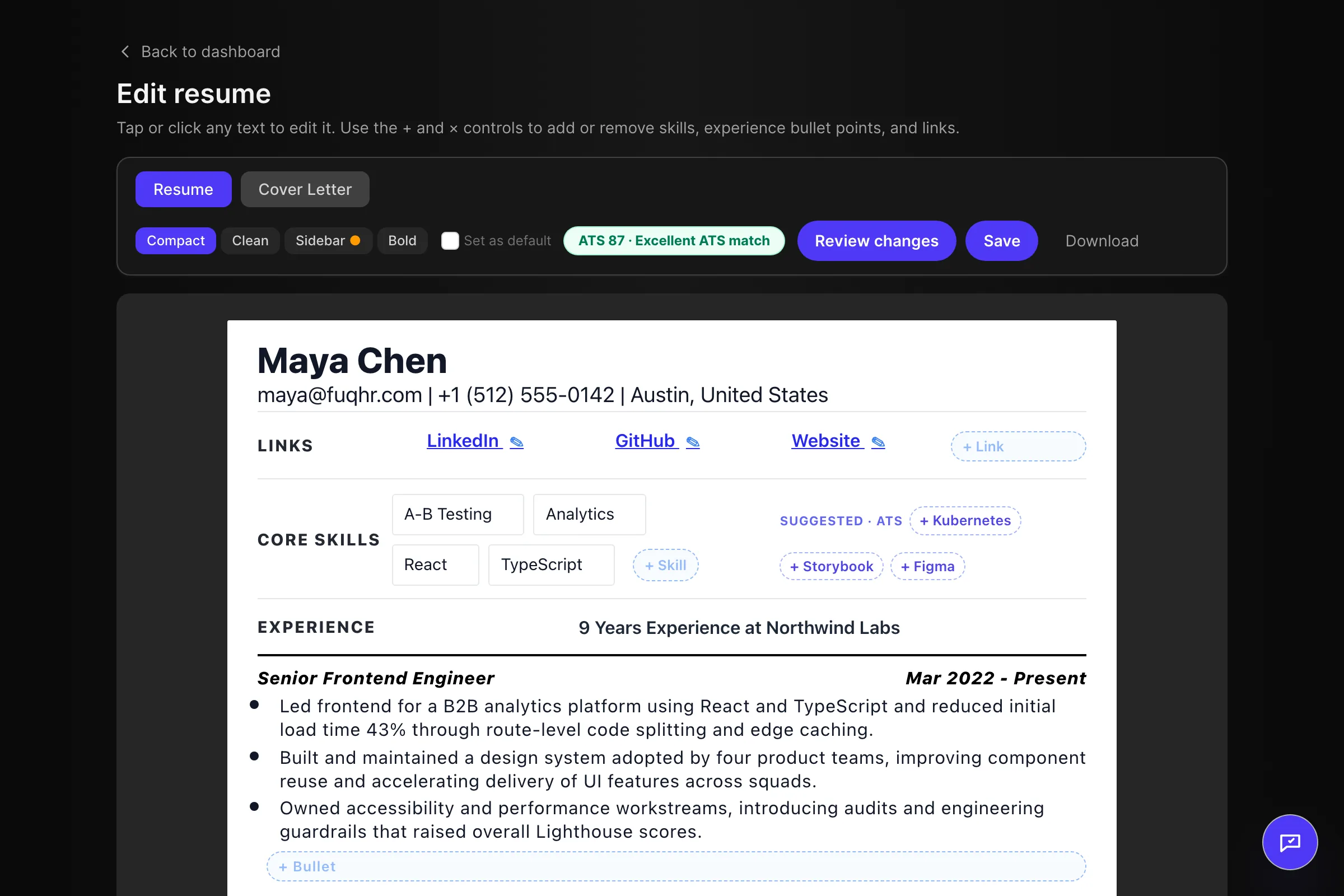
Quick answer: tailoring your CV to a job description means re-aiming the CV you already have, not rewriting your career. Read the ad for its must-haves and exact terms, mirror that language in your summary and top bullets wherever it is genuinely true, cut what the ad does not ask for, then re-read the job ad against the finished CV before you apply.
Why one generic CV loses
When a role attracts a lot of applications, reviewers rarely read every CV carefully. A recruiter scans for evidence that you already understand the job: the same tools, the same kind of problems, the same vocabulary. A general CV makes the reader do that translation work themselves, and most readers will not.
The same thing happens one layer earlier. If you apply through a careers page, your file lands in an applicant tracking system that parses it into fields and scores how far its wording overlaps with the job description. A CV that describes your work in your own preferred words can be completely true and still score badly against the ad's words. Mirroring the employer's language — where it is genuinely accurate — is the highest-leverage change available, and it costs you nothing ethically.
Read the job ad like a checklist
Before you touch the CV, spend two minutes on the ad. You are looking for four things.
- Must-haves versus nice-to-haves. Ads usually separate "requirements" from "nice to have" or "bonus". Only the first group needs to be visible near the top of your CV.
- Repetition. A skill or phrase that appears more than once is almost certainly what the hiring manager cares about most.
- Exact terms. If the ad says "stakeholder management", do not translate it into "client relations" on your CV. Use their term where it is true.
- The job title. Note how the role is named, and whether your current title describes the same job in different words.
Keep that list beside you while you edit. Everything below is just deciding where each item belongs. If you want a repeatable way to build that list from any ad, our guide to extracting CV keywords from a job description walks through it step by step.
How to tailor your CV to a job description in 10 minutes
Always work on a copy of a "master" CV — one complete version you keep and never send. Every application gets its own edited copy of it.
1. List your matches and your gaps
Write the ad's must-haves down. Mark each one: I can evidence this, or I cannot. The first group becomes your priority. For the second, either find a genuine adjacent example or leave it out. Never fill a gap with fiction.
2. Fix the top of the page first
Your name, target title and two-line summary should answer one question: what is this person, and why for this role? Name the role you are applying for and lead with the two strongest overlaps from your list. Everything below the fold matters only if this part works.
3. Match the job title, if it is honest
If your employer called you a "Client Support Specialist" and the ad is for a "Customer Success Coordinator", and the day-to-day work is the same, aligning the title is fair. If the work is not the same, it is misrepresentation. Leave it alone.
4. Rewrite your top two or three bullets
Take your most recent role and re-aim its first two or three bullets at the ad. Lead with the tool, the skill or the outcome the posting names, and quantify with numbers you actually achieved: volume handled, time saved, revenue influenced, team size. One specific true number beats three adjectives.
5. Reorder and de-emphasise
Move your most relevant evidence up. Shorten older or unrelated roles rather than deleting them, so the history stays complete but the reader reaches the relevant material faster. Keep the reverse-chronological order; only the emphasis changes.
6. Re-check the keywords — honestly
Go back to your list. Every must-have you claimed should appear somewhere in the document, inside a sentence that would still make sense if the ad did not exist. A term you cannot explain in an interview is a liability, not an optimisation.
7. Name the file and log the application
Export as Firstname_Lastname_CV_Company.pdf and record where you sent it, when, and which version you used. Two weeks later, when you follow up, that log is the difference between a confident message and a guess. Our free job application tracker for Google Sheets exists for exactly this.
Before and after: one bullet, rewritten
Here is a realistic example for a customer success role. Neither version invents anything; the second one simply aims the same work at the posting's language.
- Before: "Responsible for looking after customer accounts and helping with their problems."
- After: "Managed a portfolio of 40 SaaS accounts, running quarterly check-ins in HubSpot and resolving onboarding issues that were putting renewals at risk."
The second version is not better because it added claims. It is better because "responsible for" was replaced with what the work actually involved, described in the account-management vocabulary the ad asked for.
What not to do
- Do not stuff keywords. A block of tool names at the bottom of the page, attached to no bullet, reads as a trick and gives an interviewer nothing to ask about.
- Do not invent anything. No skills you have not used, no titles you did not hold, no numbers borrowed from a colleague's results.
- Do not use invisible text. White font, zero-size text or hidden layers are detectable, and the reputational risk is not worth it.
- Do not copy whole sentences. The ad's vocabulary, yes. Its sentences, no — it reads as a copy-paste to anyone who has the posting open.
- Do not rewrite your whole history for one application. You are adjusting emphasis and word choice, not fabricating a second career.
Does tailoring really change anything?
Two things change when you tailor your CV to a job description, and neither is magic. The software that parses and ranks your file finds more of the terms it is looking for, so your application is more likely to reach a human at all. And the human spends less effort connecting your past to their role, because you made the connection explicit. It does not guarantee an interview. It removes the reason you would be dismissed without one.
If you want the mechanics behind that, our guide to how ATS ranks your resume walks through parsing, knockout filters and keyword scoring in plain English.
Tailoring with ChatGPT: a copy-paste prompt
If you would rather make the first pass yourself than hand the CV to a dedicated tool, a general assistant can take the first, mechanical pass: reading the ad, pulling out its terms, and re-aiming your summary and most relevant bullets. The prompt below is written to keep the model inside what you actually did, because the usual failure is a helpful-sounding rewrite that quietly adds a tool, a title or a result you never had.
You are a careful CV editor. I will paste my current CV and the job ad I am applying to.

1. Read the job ad first and list its must-have skills, tools and exact terms, separating what is essential from what is nice to have.
2. Then rewrite my professional summary and my most relevant bullets so they use the ad's language — only where that is true of what I actually did.
3. Do not add experience, tools, employers, dates or results I have not given you. If the ad asks for something my CV does not show, say so instead of inventing it.
4. Keep the CV ATS-safe: one column, standard section headings, no tables, text boxes, icons or graphics.
5. Finish with two short lists: what the ad asks for that my CV now covers, and what it asks for that my CV still does not.

My CV:
[PASTE CV]

Job ad:
[PASTE JOB AD]
What to check in the AI's rewrite
- Diff it against your original. Read the two side by side and delete any employer, date, tool or figure that was not in your CV before the rewrite, however good it sounds.
- Check where the ad's terms landed. They belong in the summary and the first few bullets, which is the part a reader actually scans, not at the bottom of the last page.
- Listen for voice. A rewrite that reads like the job ad is a warning sign: keep the sentences that sound like a person describing their own work.
- Paste the result into a plain-text editor once. If headings and bullets survive in order, they will survive most parsers too.
Before you paste anything, remove your phone number, your home address and any confidential detail about a current employer. A CV plus a live job ad is usually enough to identify you, and many assistants store what you send them.
Tailoring at scale
Ten to fifteen minutes per application is realistic once you have a master CV and a routine. The genuinely mechanical part — pulling the ad apart, mapping its terms onto your existing wording, updating the summary, re-checking coverage — is where software helps. FuqHR takes a CV you already have plus a pasted job ad and returns a tailored version, a matching cover letter and a 0–100 ATS score broken down by criterion, so you can see which part is weak instead of guessing. It is free while in beta, and it does not invent experience you did not give it. If your work history is thin because you are starting out, our guide to writing your first CV with no experience covers the evidence you do have and how to frame it. Choosing between a few tools? Our comparison of FuqHR with Jobscan, Rezi and Resume Worded sets out where each one fits and where ours does not.
What no tool removes is the discipline around it. Applying to three well-targeted roles a week beats sending thirty identical files, and the routine in our job search daily action plan is built for exactly that pace.
FAQ
Does tailoring a CV really make a difference?
Yes, in two concrete ways. Your CV matches more of the language the job ad uses, so it scores better in the software that reads it first, and a human spends less effort seeing how your experience fits the role. It is not a guarantee of an interview — it removes the reason you would be screened out before one.
How do I tailor my CV without lying?
Only use the ad's vocabulary for work you have actually done. If a must-have skill is missing from your history, either find a genuine adjacent example you could defend in an interview, or leave it out. A claim you cannot back up is worse than a gap the recruiter can already see.
How long should tailoring take?
Ten to fifteen minutes per application once you work from a master CV, though the first few attempts will be slower. If it is taking an hour, you are probably rewriting the whole document instead of re-aiming the summary, the top bullets and the skills.
Should I change my job title on my CV?
Only to align it with the ad's wording when it describes the same job. "Client Support Specialist" and "Customer Success Coordinator" can be the same role; "Sales Assistant" and "Account Executive" are not. Never adopt a title you did not hold.
Do I need a different CV for every job?
Not a different CV from scratch — a tailored copy. Keep one complete master CV, then create a version for each application, and group applications by role type so the edits stay small. Twenty near-identical roles need one version, not twenty.
The takeaway
Tailoring is not a trick played on software. It is clarity. Take ten minutes to speak the employer's language about work you have genuinely done, and you make it easy for a system to file you correctly and for a person to recognise your value. Do that on every application and the silence starts to break.
See your tailored CV and ATS score in minutes. Paste your existing CV and the job ad — get a tailored CV, a matching cover letter and a 0–100 score. Free while in beta.